Axure
axure
expand text
resize container
Axure RP8
Axure 互動功能製作分享
2020/12/03 12:46:43
0
1087
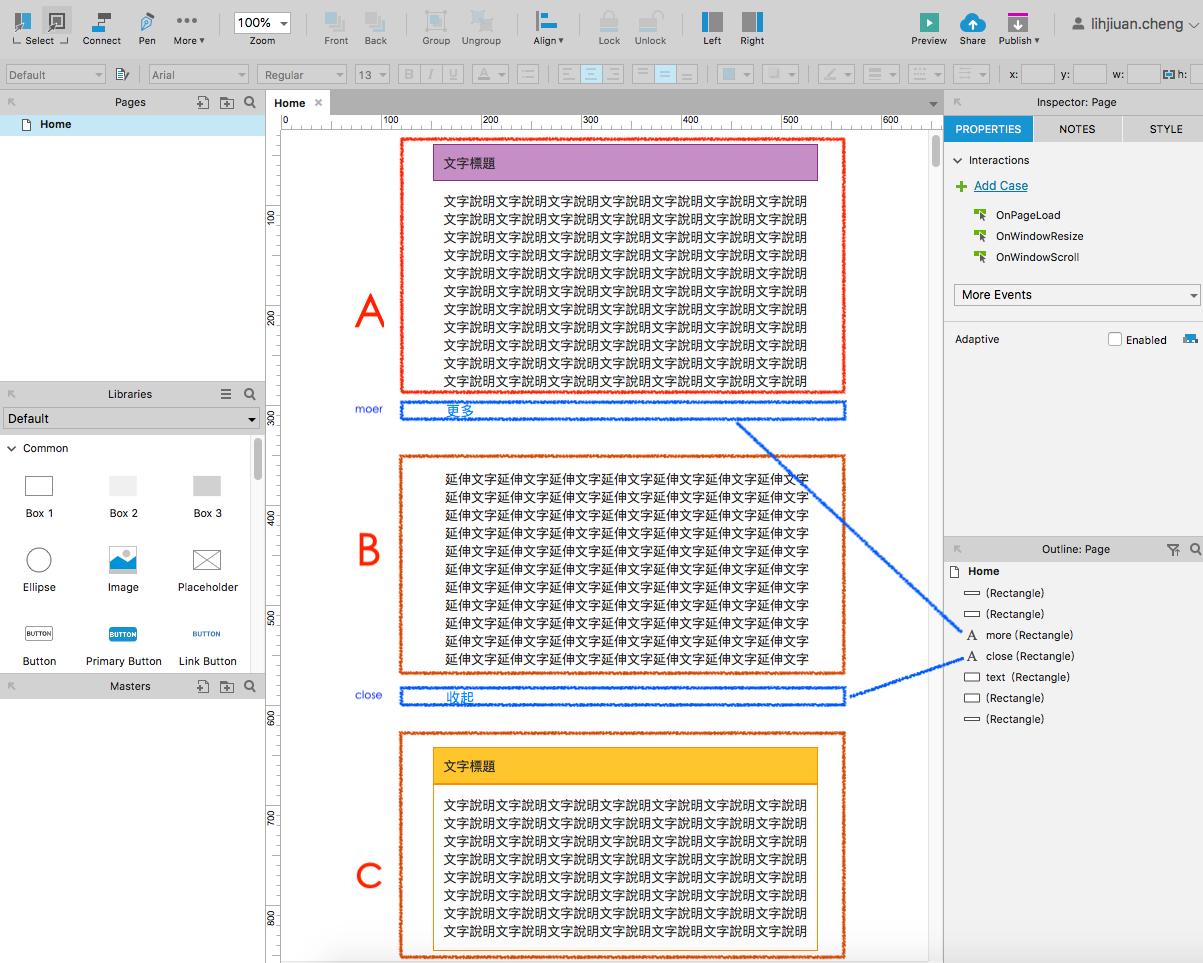
expand text 效果製作
步驟1. 請將 「A,C文字標題及內容文字」與「B延伸文字」及「更多」「收起」等元件,在Axure 主要工作區先準備好。
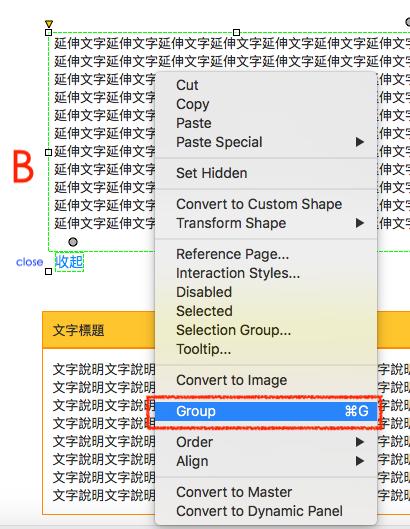
步驟2. 請將 「B 延伸文字」與「收起」設為一個群組,命名為 extened text。
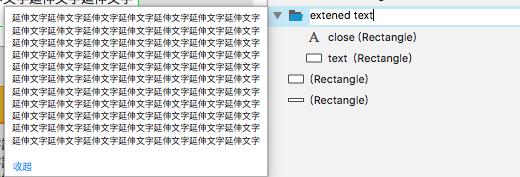
步驟3. 請將 「更多」元件,在元件setup參數設定區做 on click設定。
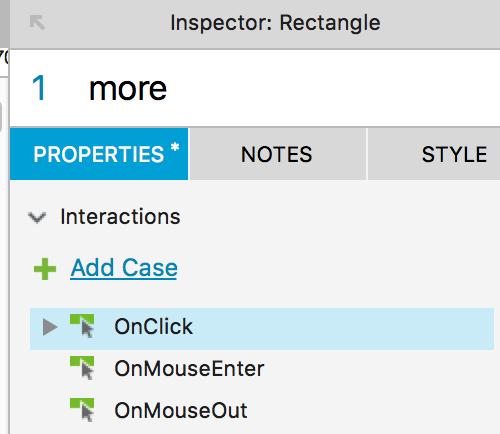
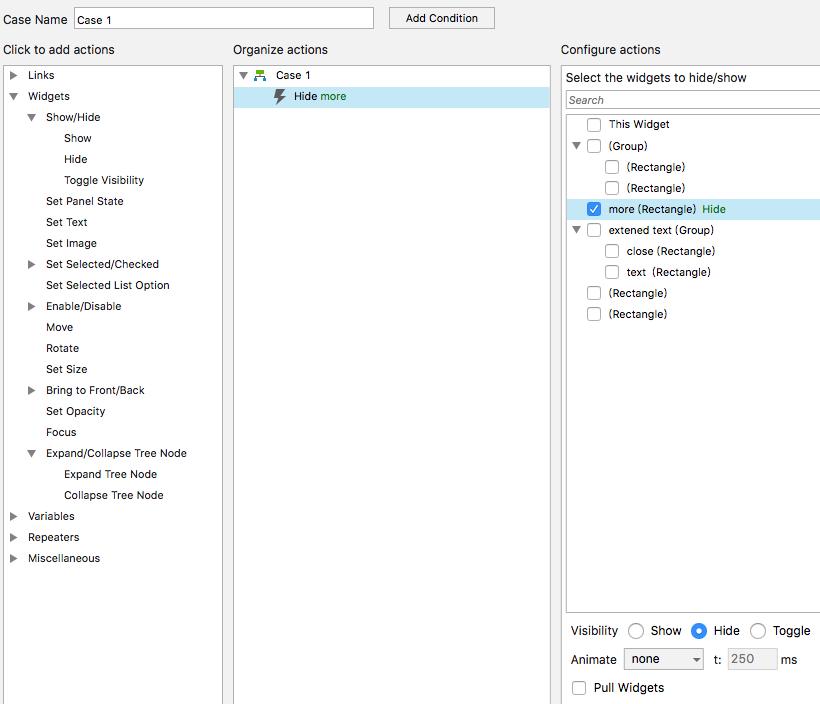
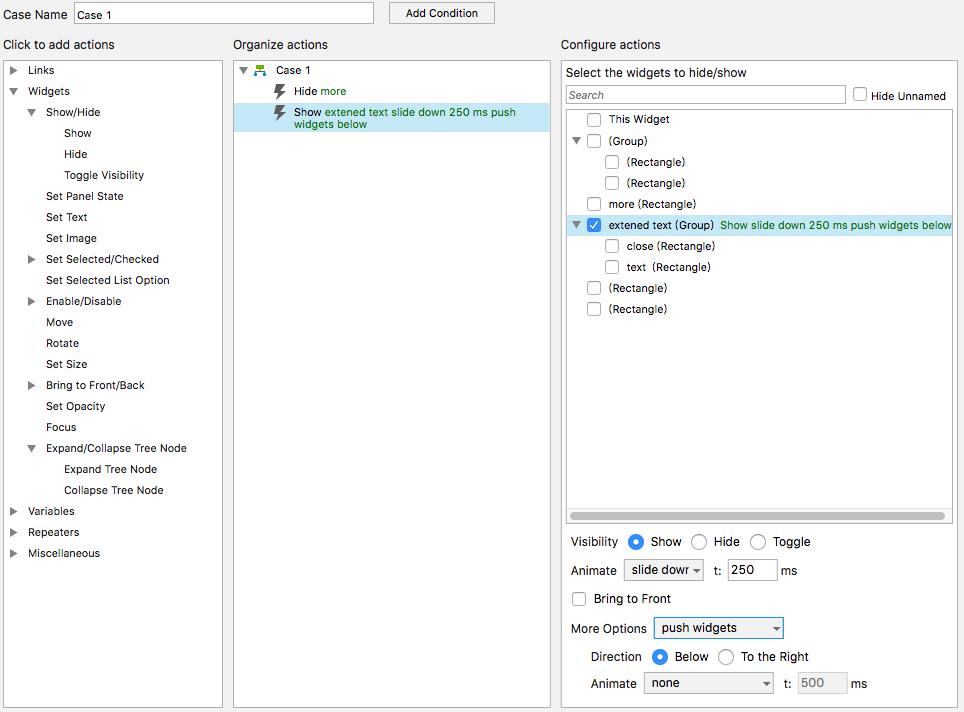
步驟4. 請將 「收起」元件,在元件setup參數設定區做 on click 設定。
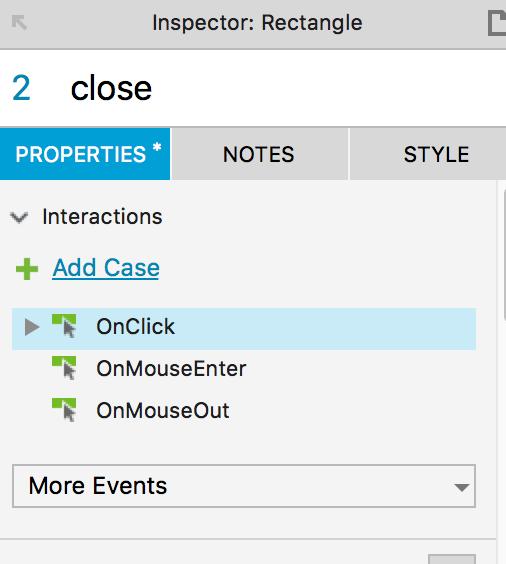
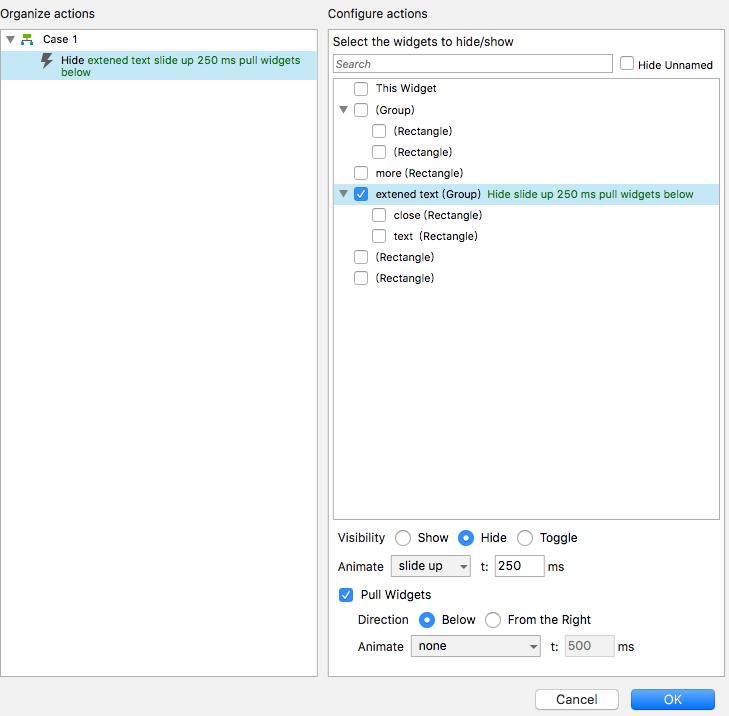
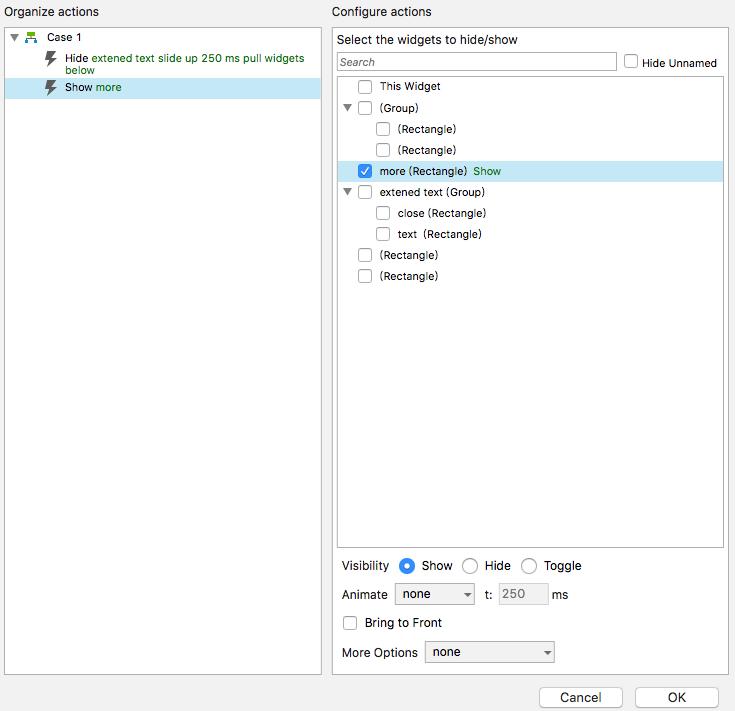
步驟5. 請將 extened text 群組,設為 Hidden。
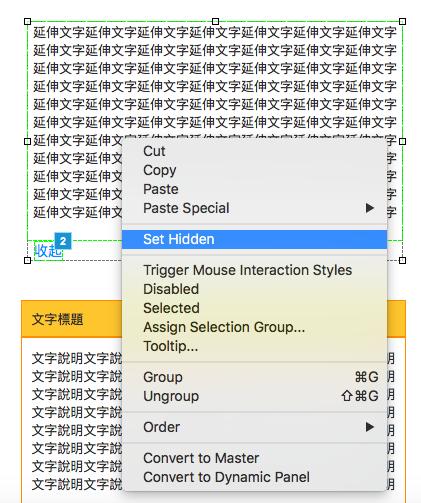
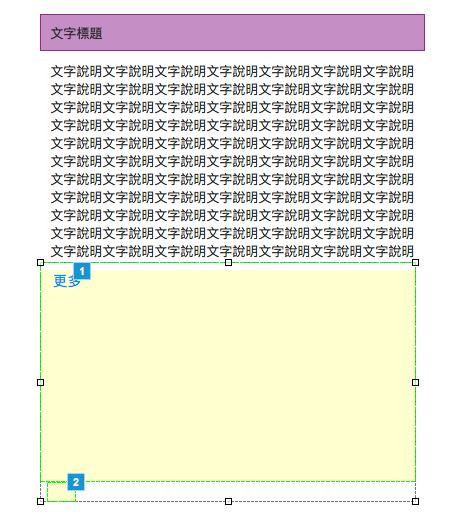
步驟6. 在將 「C文字標題及內容文字」向上移動至初始位置。
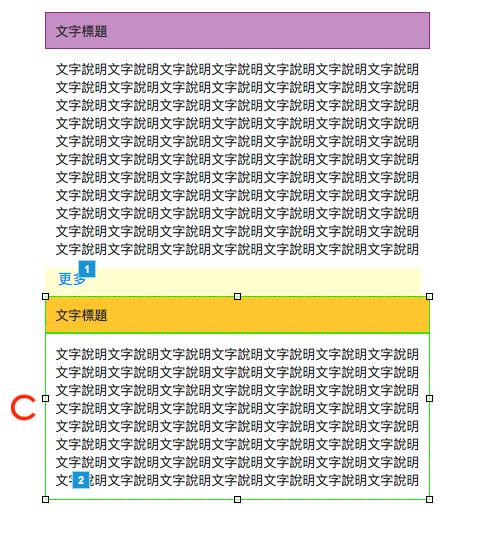
完成效果展示:https://qof9ug.axshare.com/#g=1&p=home
resize container 效果製作
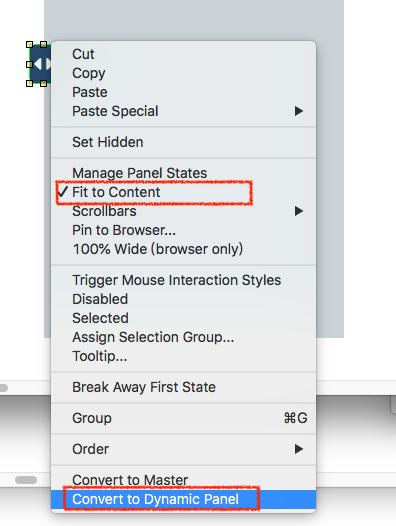
步驟1. 請將 「A,B」元件,各自設為Dynamic Panel 及 將 fit to content 打勾。
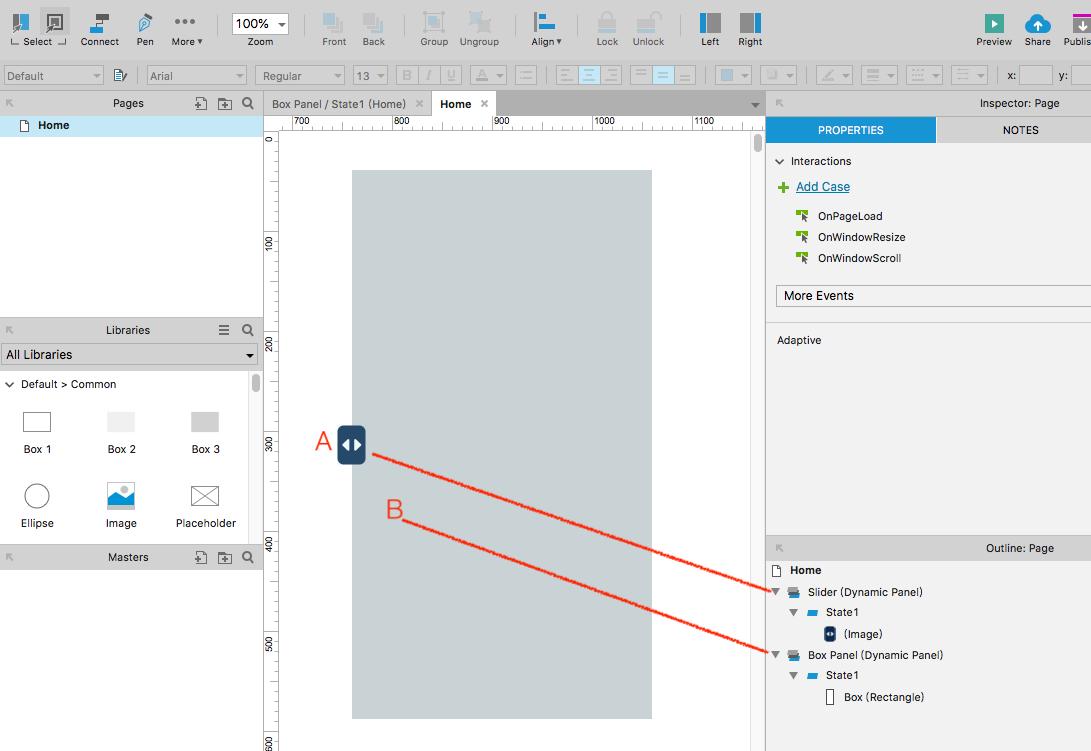
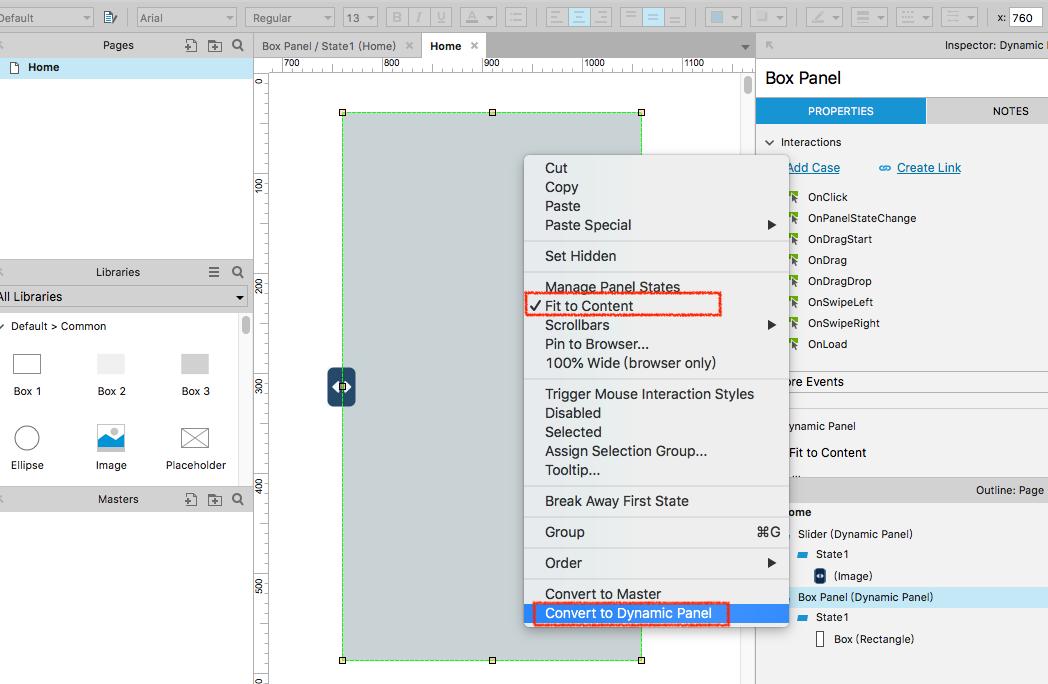
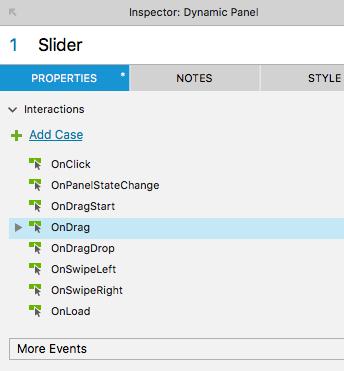
步驟2. 請將 「Slider」Dynamic Panel 元件,在元件setup參數設定區做 OnDrag設定。
步驟3. add action Widgets-Enable/Disable-Move 並進入以下畫面設定。
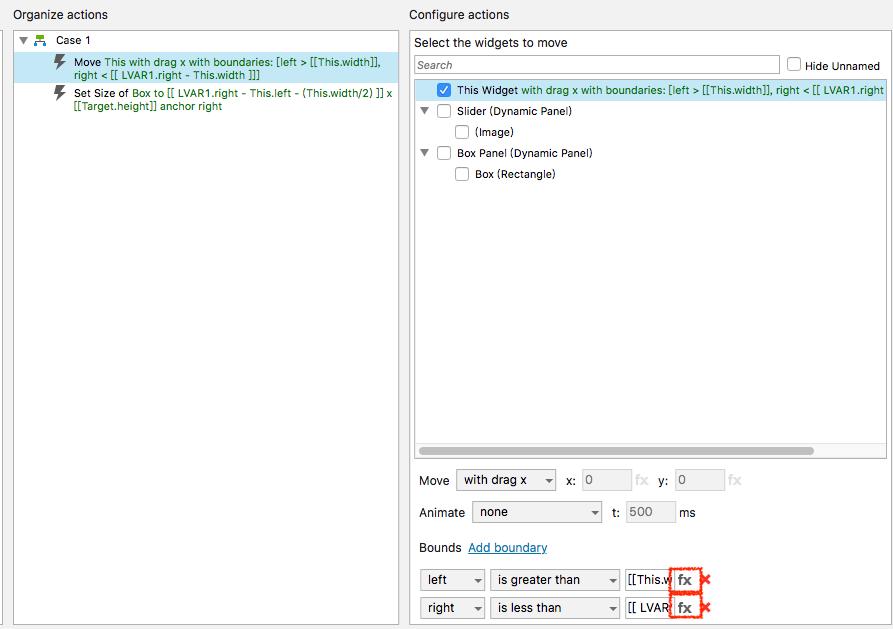
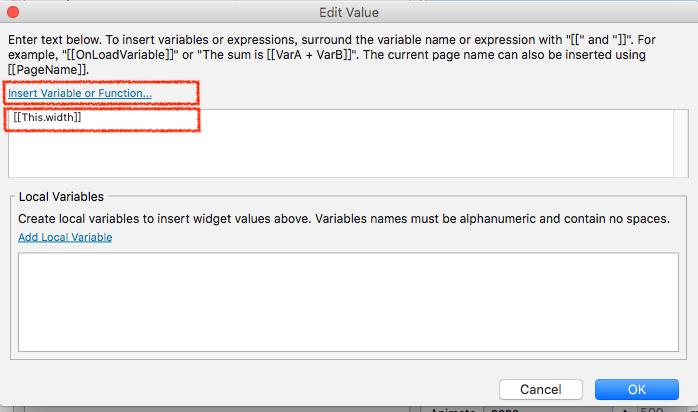
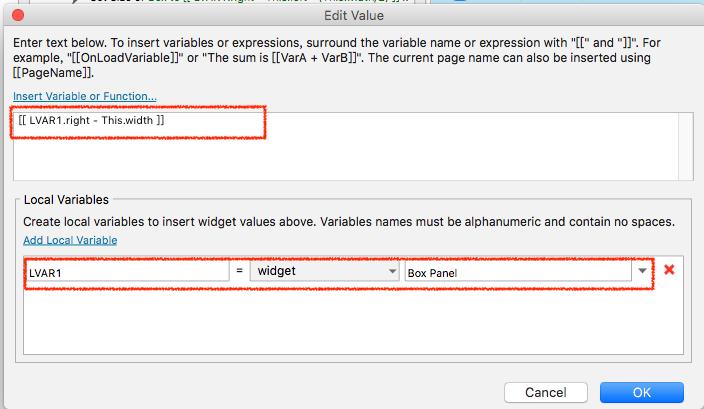
步驟 4. add action Widgets-Enable/Disable-Set Size of 並進入以下畫面設定。
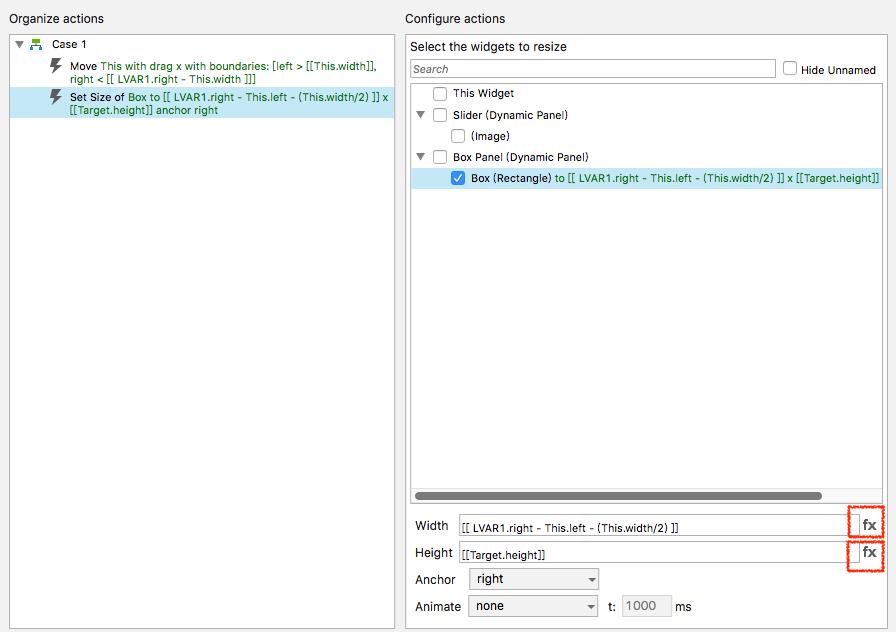
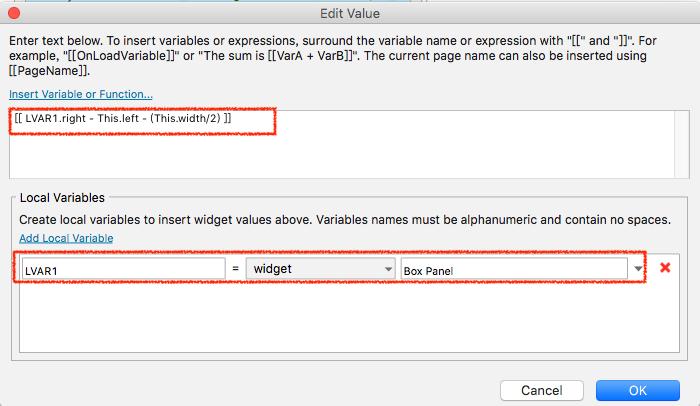
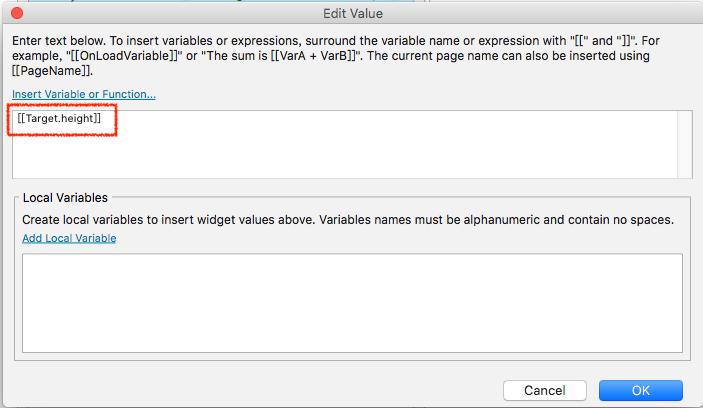
步驟 5. Slider 相關 Interactions 設定完成。
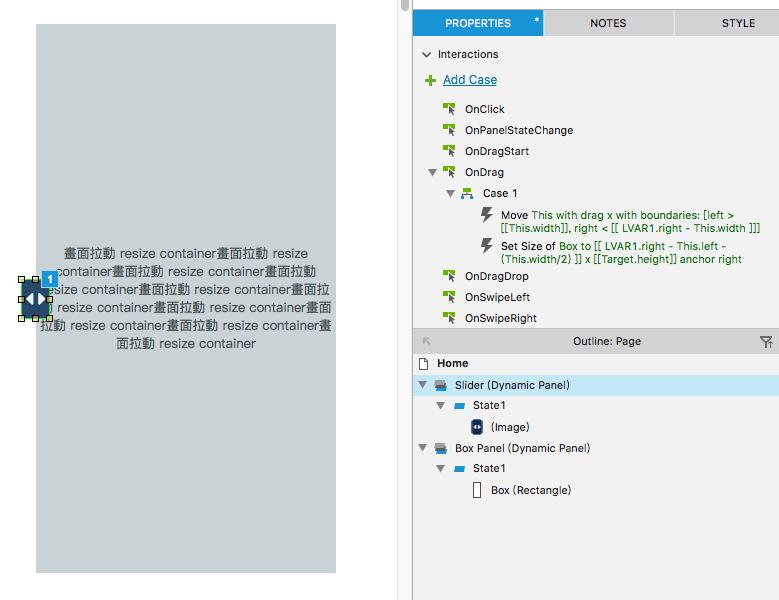
完成效果展示:https://rxcm76.axshare.com/#g=1&p=home
其他Axure 相關互動功能討論:https://forum.axure.com/