使用Visual Studio debug Stored Procedure
主題: |
使用Visual Studio debug Stored procedure |
文章簡介: |
介紹使用Visual Studio 2010 Debug Stored Procedure |
作者: |
陶逸靜 |
版本/產出日期: |
V1.0/2016.12.30 |
1. 前言
• 本文件初步介紹如何使用Visual Studio 2010來debug Stored Procedure。
2. 設定及使用Visual Studio debug Stored Procedure of MS SQL
• 初步介紹如何使用Visual Studio逐步執行預程序來debug Stored Procedure of MS SQL。
• 工具使用Visual Studio 2010 for Windows。
• 資料庫使用 MS SQL 2008 R2
3. 說明步驟
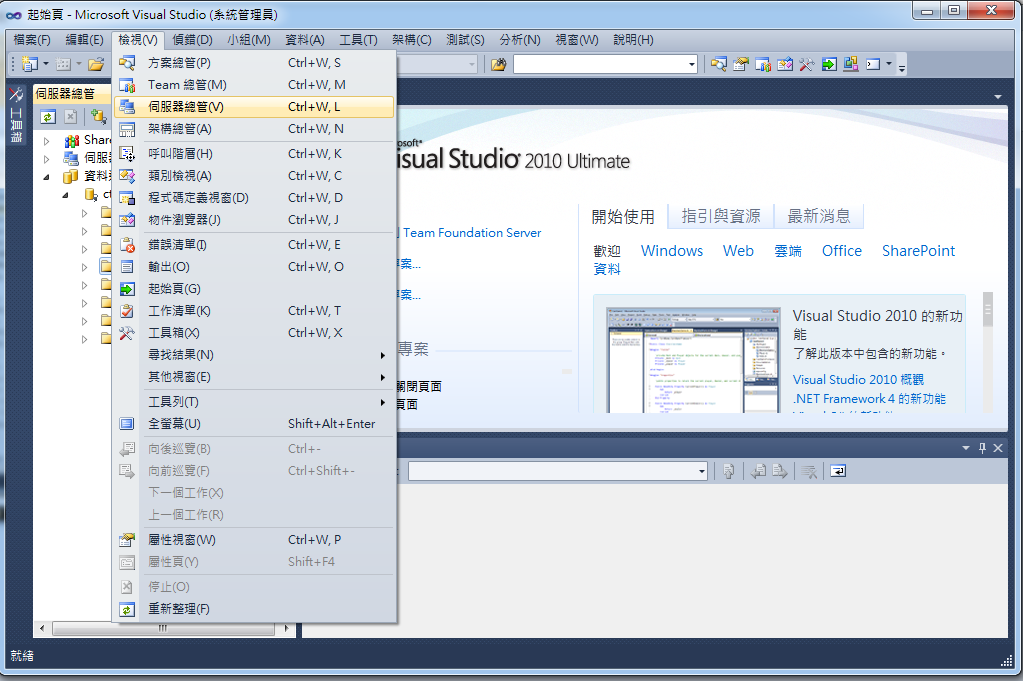
1. 開啟Visual Studio 2010,選擇検視(V) 伺服器總管。
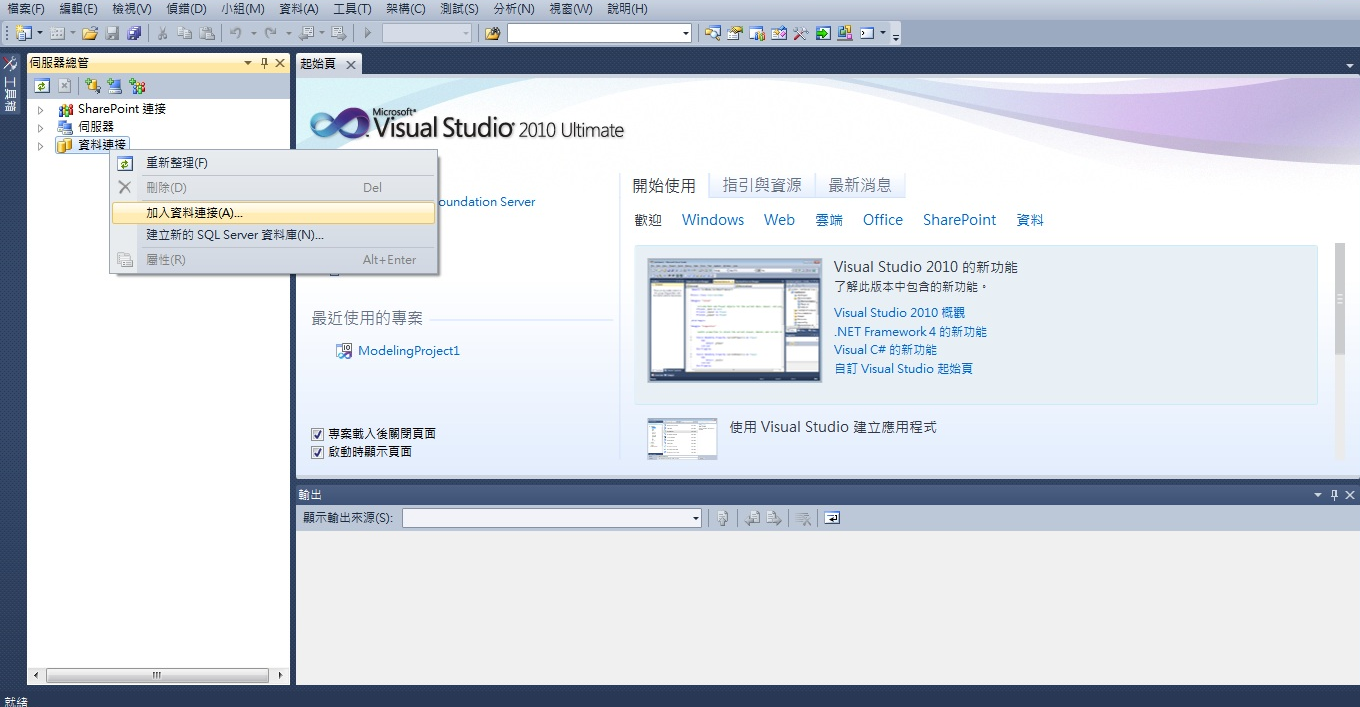
2. 建立資料連結,資料連結右鍵,點選加入資料連結。
加入連結
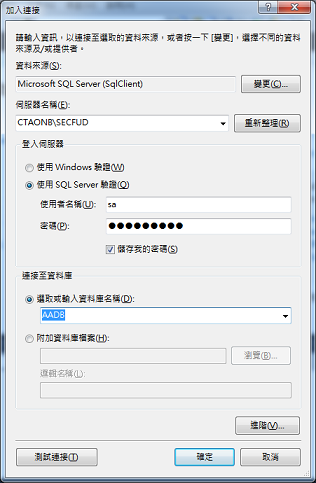
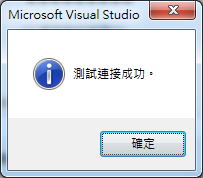
測試連接,連接成功
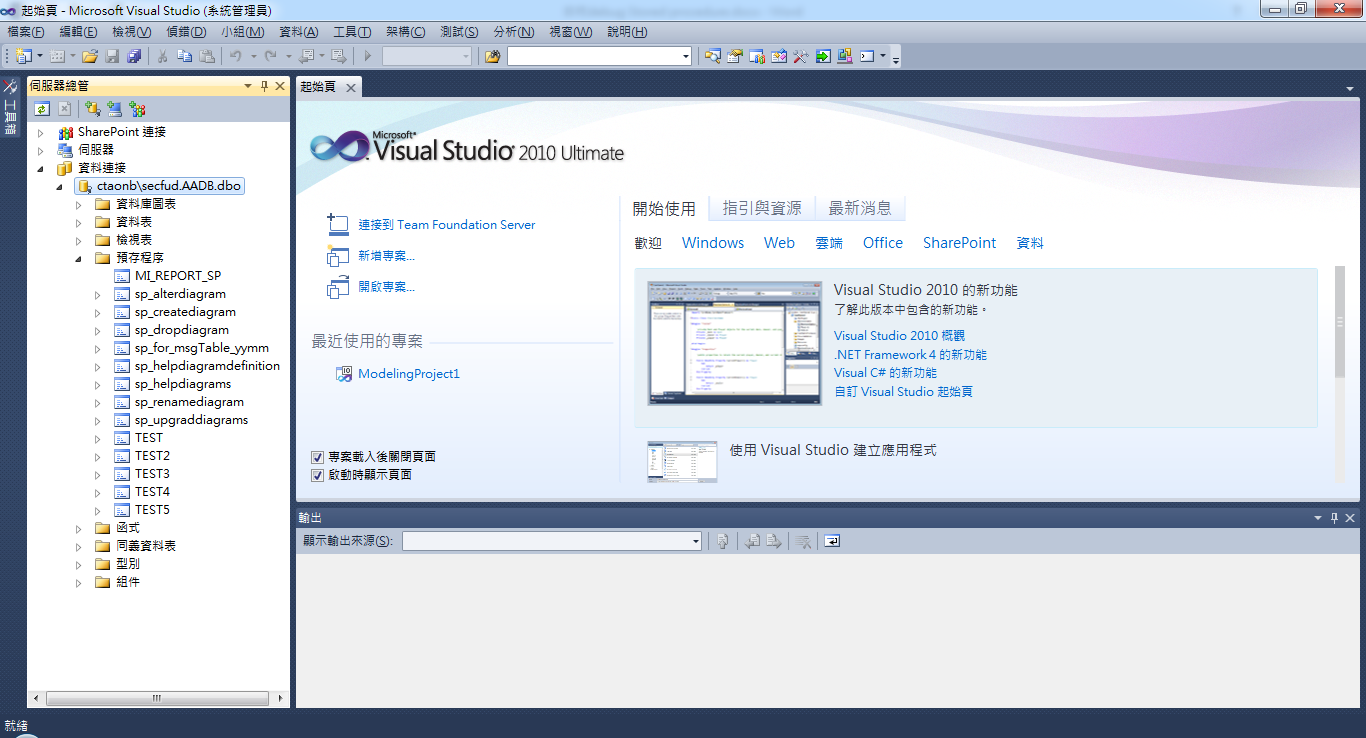
此時在資料連接下方會看到新加入的資料庫,點開預存程序。
3. 進行Debug的預存程序
有三個方式進行逐步執行預程序
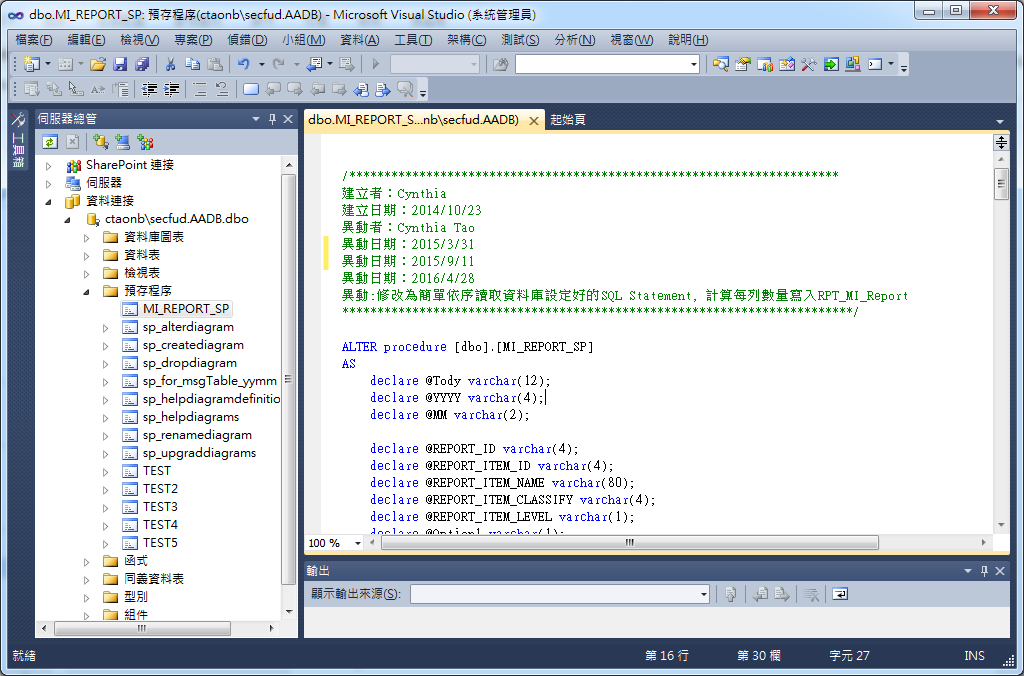
a.點開預存程序,double click開啟要debug的預存程序
在右方預存程序視窗點右鍵,選擇[逐步執行預程序]
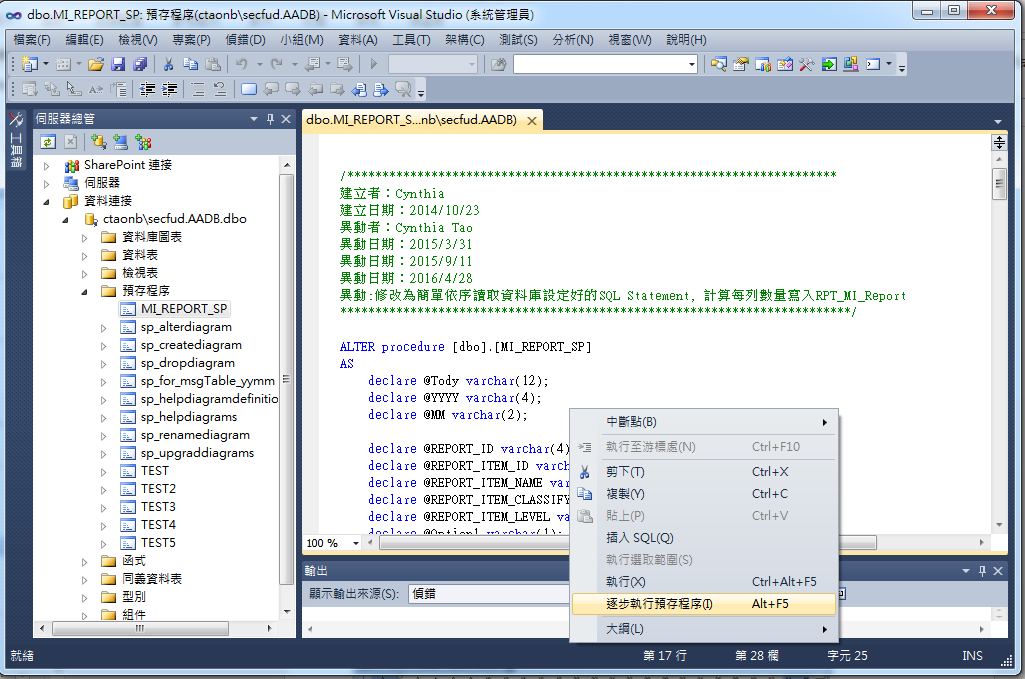
b.直接在預存程序按右键選取[逐步執行預程序]
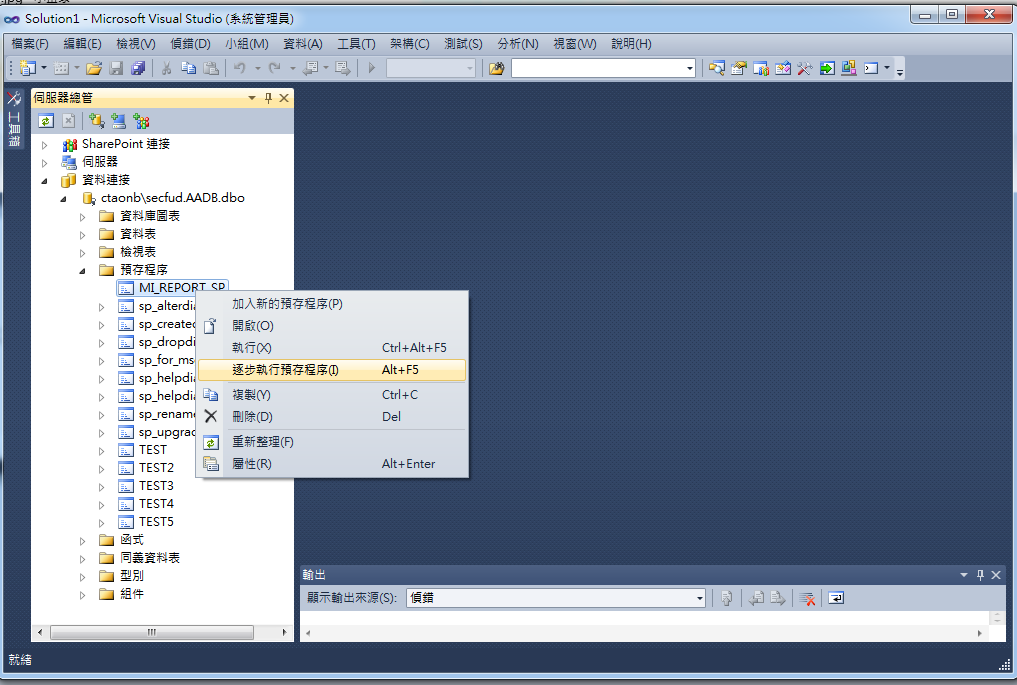
c.直接用快速鍵Alt+F5執行[逐步執行預程序]
4. 進入Debug 模式。
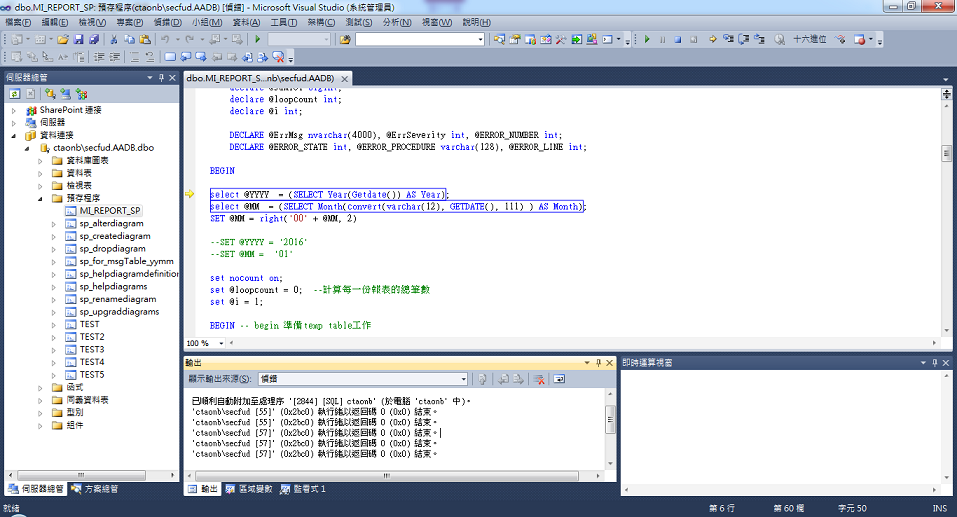
Debug 的方式跟Visual Studio通用的Debug 模式相同
a.Debug 的快捷鍵
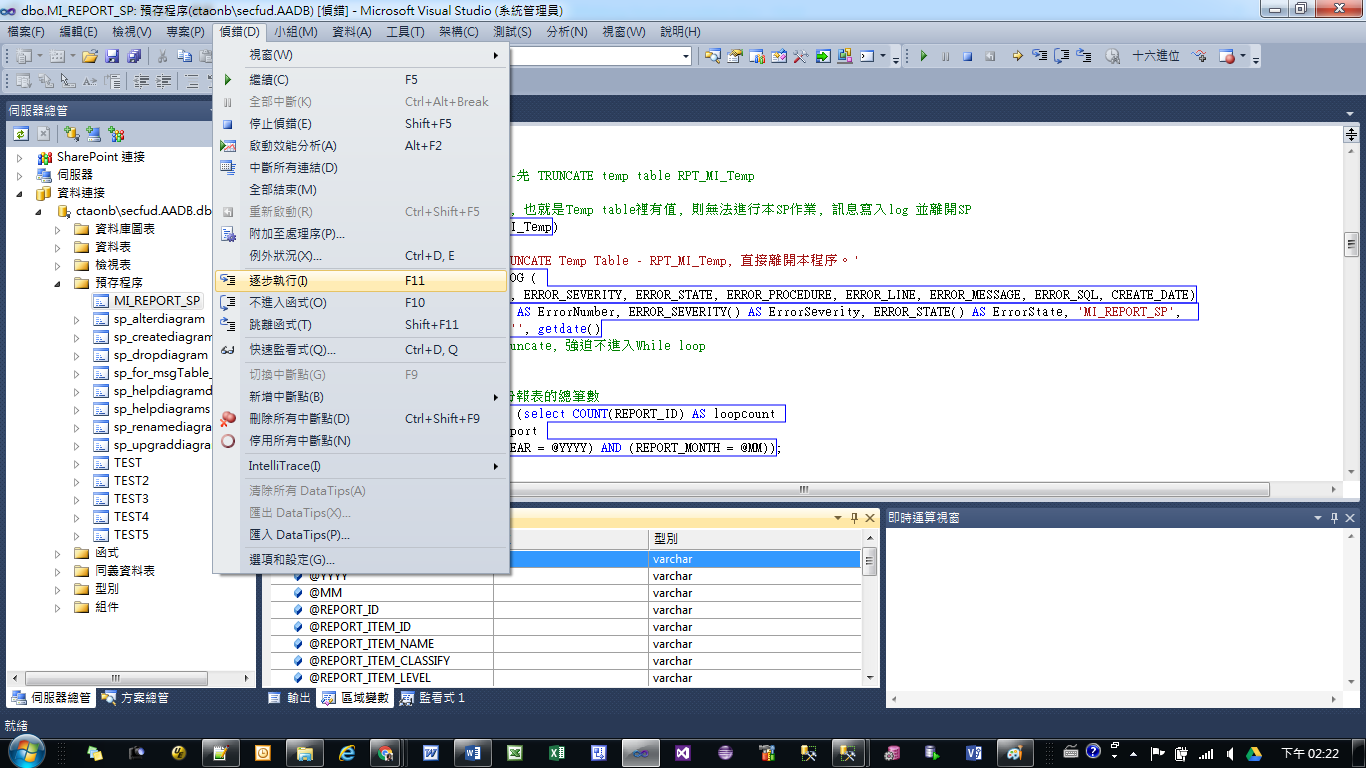
b.可設中斷點/刪除中斷點
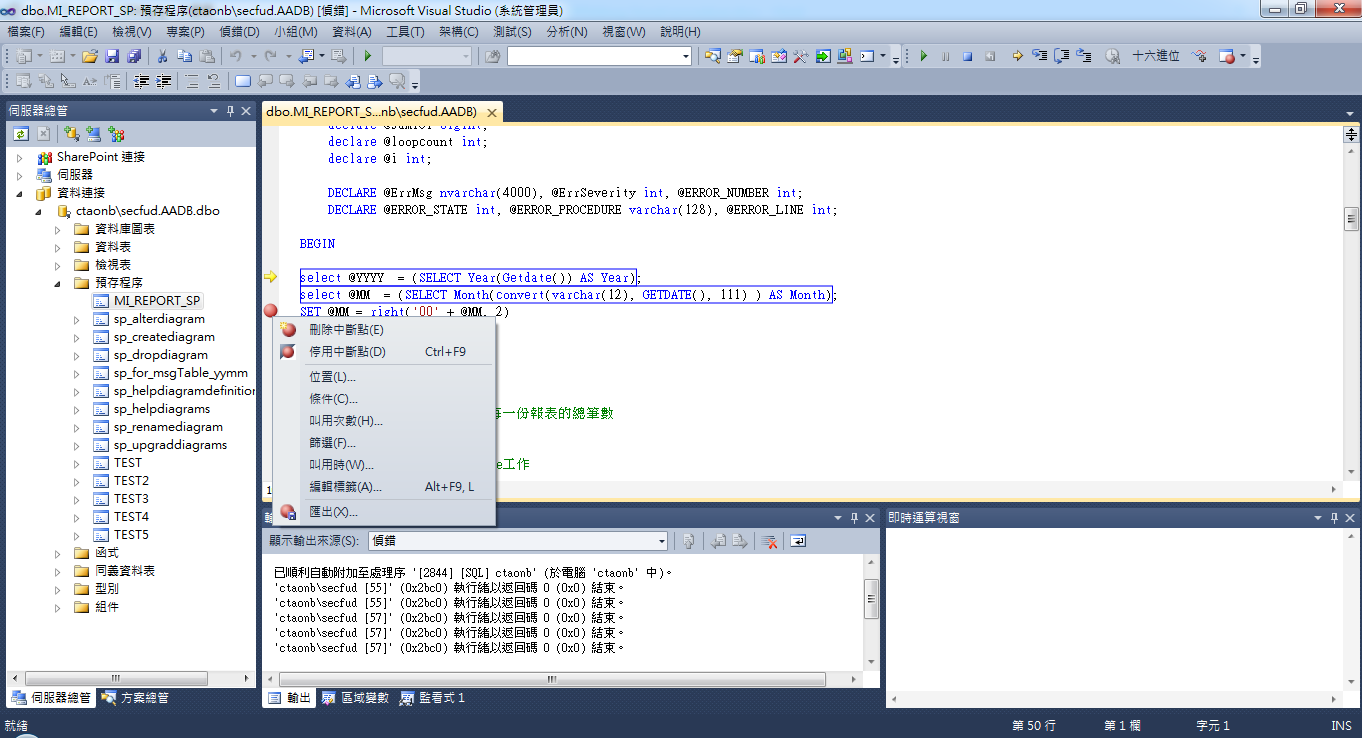
c. Debug程序中可監看設定的區域變數

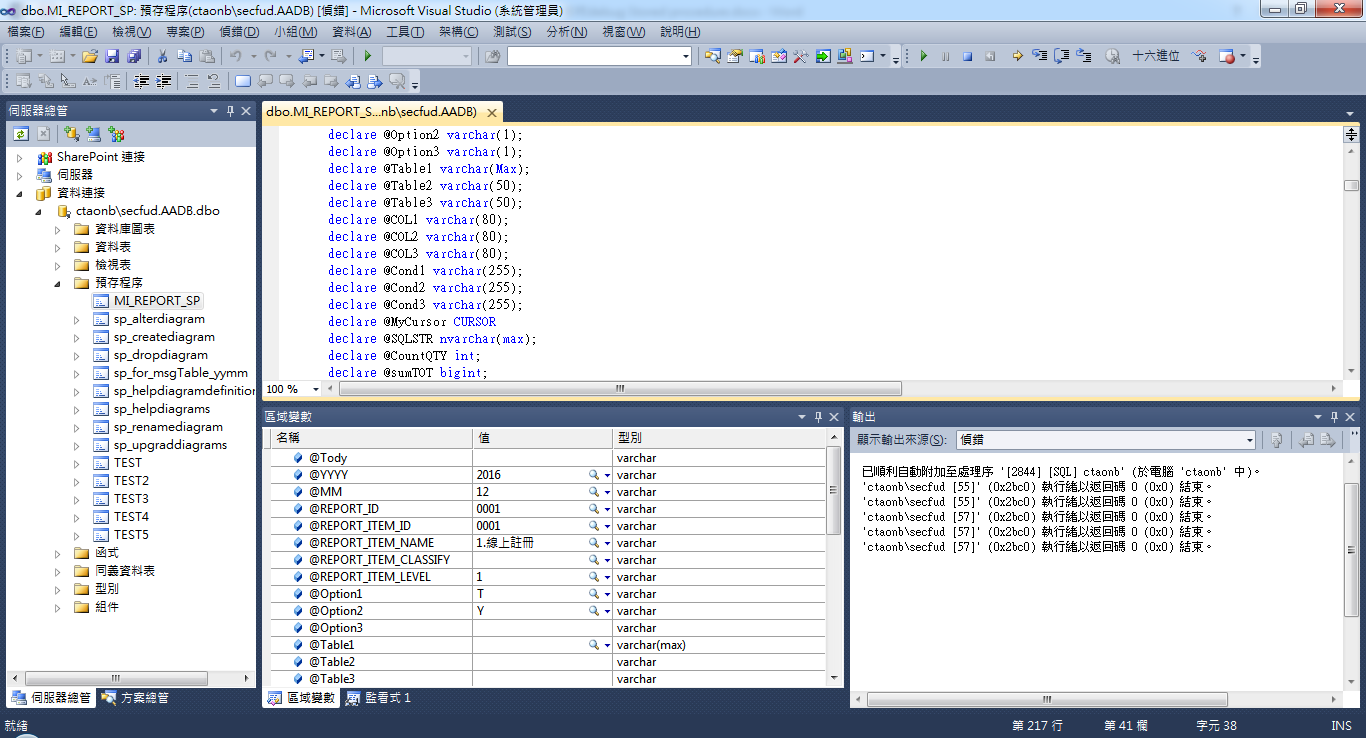
d.也可自定監看式
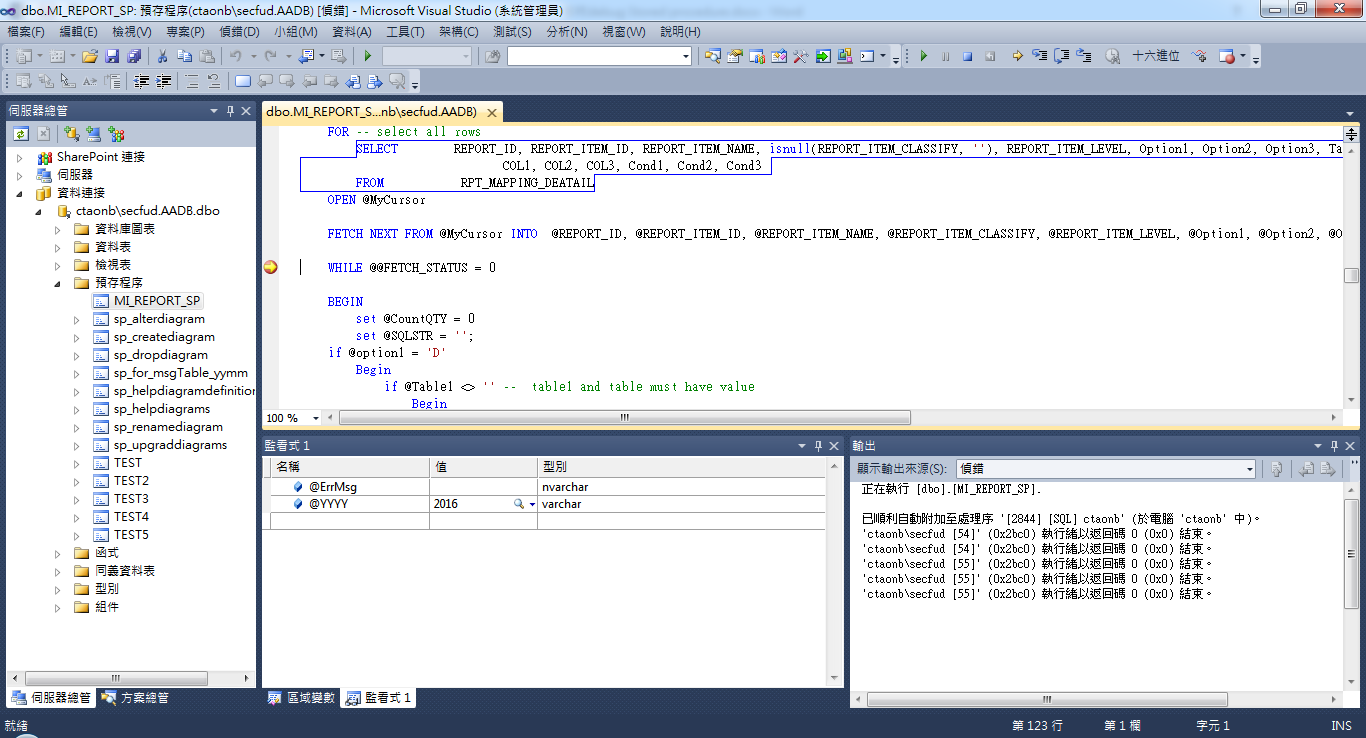
f.檢視輸出完成執行結果。
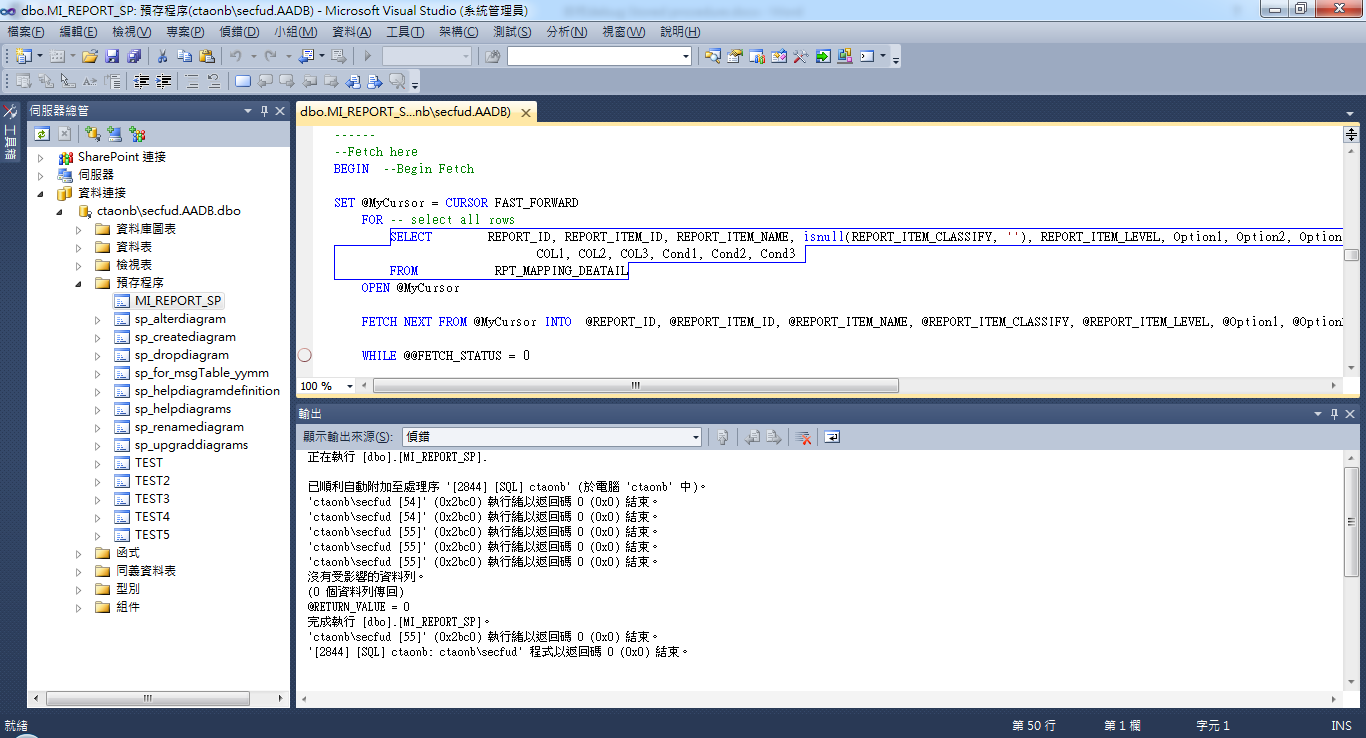
執行Debug方式都同Visual Studio通用的Debug 模式。若要了解Visual Studio Debug 可參考Visual Studio 偵錯 網址為: https://msdn.microsoft.com/zh-tw/library/sc65sadd(v=vs.100).aspx
4. 參考資料
Visual Studio 偵錯
網址為: https://msdn.microsoft.com/zh-tw/library/sc65sadd(v=vs.100).aspx